The No-Nonsense Guide to UTM Parameters (And How to Actually Use Them)
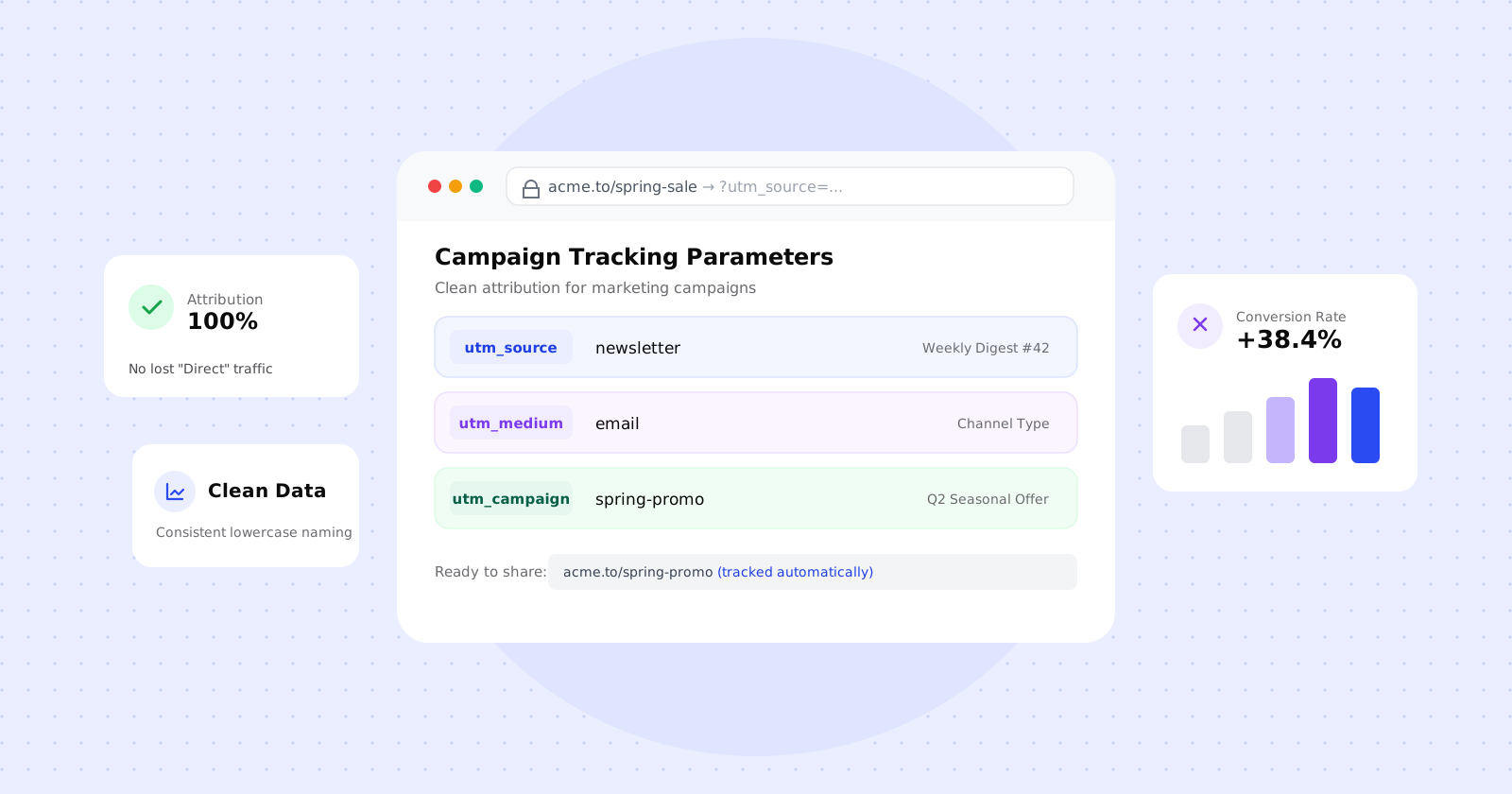
If you’ve ever checked your analytics dashboard after a major product launch or email campaign only to find a massive spike in “Direct / (none)” traffic, you’ve experienced the attribution black hole.
Without tracking parameters, your analytics tool doesn’t know whether a visitor came from a link in your weekly email, a WhatsApp message, a LinkedIn post, or someone manually typing your domain into their browser.
UTM parameters solve this. They are simple text tags appended to a URL that tell your analytics software exactly where a click came from, how it got there, and which campaign triggered it.
Here is a practical guide to what UTM parameters are, how the 5 standard tags work, the conventions that prevent reporting chaos, and how to use them with short links.
What is a UTM parameter?
UTM stands for Urchin Tracking Module (named after Urchin Software Corporation, the web analytics company Google acquired in 2005 to create Google Analytics).
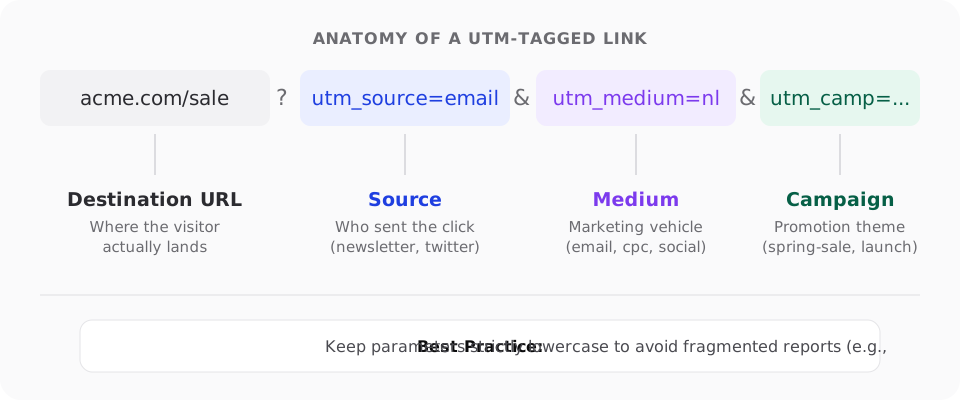
While the name sounds technical, a UTM parameter is just a query parameter—a key-value pair added after a ? in a website address:
https://yourbrand.com/pricing?utm_source=newsletter&utm_medium=email&utm_campaign=spring-launchWhen someone clicks that link, your web server serves the normal /pricing page. The query string doesn’t alter the page content. But client-side analytics scripts (Google Analytics 4, Plausible, PostHog, Mixpanel) read the URL parameters and record the visit under those specific campaign dimensions.
The 5 standard UTM parameters
There are five standard UTM parameters recognized across virtually all modern analytics platforms:
| Parameter | Required? | What it answers | Practical Examples |
|---|---|---|---|
utm_source |
Yes | Where is the visitor coming from? (Platform/Referrer) | google, newsletter, linkedin, partner-blog |
utm_medium |
Yes | How did the visitor arrive? (Marketing channel) | email, social, cpc, qr, sms |
utm_campaign |
Recommended | Why are they coming? (Promotion name) | spring-launch, webinar-q2, onboarding-v2 |
utm_content |
Optional | Which specific element was clicked? | cta-button, hero-banner, footer-link |
utm_term |
Optional | Which audience or search keyword? | link-shortener, retargeting-tier1 |
1. utm_source (The Platform)
Identifies the specific source or platform sending the traffic.
- Good:
twitter,newsletter,youtube,indiehackers - Bad:
social-media,link(too vague)
2. utm_medium (The Channel Type)
Identifies the high-level marketing medium. This parameter is critical because analytics platforms use it to bucket traffic into default channel groups.
- Good:
email,cpc(paid search),social(organic social),paid-social,sms,qr - Bad:
weekly-email-3(that’s a campaign, not a medium)
3. utm_campaign (The Campaign Name)
Identifies the overarching marketing effort, product launch, or seasonal sale.
- Good:
black-friday-2026,creator-program,churn-reengagement
4. utm_content (The Creative or Link Variant)
Used to differentiate links pointing to the same destination URL within the same campaign. This is indispensable for A/B testing or multi-link emails.
- Example: In an email newsletter, you might have a link in the header (
utm_content=header-cta) and another link in the postscript (utm_content=ps-link). Both share the same campaign, but you can see which link drove more sign-ups.
5. utm_term (Keyword or Audience Segment)
Originally designed to pass paid search keywords from Google Ads or Bing. In non-search contexts, teams often use it to track target audience cohorts (e.g. lookalike-1pct, smb-founders).
4 golden rules for UTM hygiene
Nothing ruins analytics faster than inconsistent tagging across a team. If one person tags utm_source=twitter, another tags utm_source=Twitter, and a third tags utm_source=t.co, your dashboard will report them as three separate, disconnected sources.
Follow these four simple rules:
1. Always use lowercase
URL parameters are case-sensitive in almost every analytics tool. utm_source=LinkedIn and utm_source=linkedin will appear as two distinct rows in your reports. Enforce lowercase across all links by default.
2. Pick one separator and stick to it
Spaces in URLs turn into ugly %20 or + characters and make data scrubbing difficult. Choose hyphens (spring-sale) or underscores (spring_sale) and mandate it across your organization. Hyphens are generally preferred across web standards.
# Good
?utm_campaign=product-launch-2026

# Messy
?utm_campaign=Product%20Launch%202026
3. Never use UTM parameters on internal links
This is the single most common mistake teams make.
If you put UTM parameters on a banner inside your own website pointing to your pricing page, the user’s current session is instantly terminated and a brand new session starts. Your original acquisition source (e.g., Google Search or Email) gets erased and overwritten by your internal link.
Use event tracking or click handlers for internal navigation—keep UTMs strictly for links pointing into your site from external channels.
4. Keep Personally Identifiable Information (PII) out of UTMs
Never put email addresses, phone numbers, customer names, or account IDs in UTM parameters ([email protected]). Query strings are logged in browser history, server access logs, and referrer headers, which can violate data privacy standards like GDPR and DPDP.
The ugly link problem: Pairing UTMs with short links
While UTM parameters are invaluable for data, they create a UX problem: they make URLs enormous.
A destination like:
https://yourbrand.com/blog/how-to-launch?utm_source=linkedin&utm_medium=social&utm_campaign=growth-playbook&utm_content=carousel-slide-5is 137 characters long. When shared in SMS, WhatsApp, Twitter posts, or print materials, giant URLs:
- Look spammy and suspicious to users
- Consume SMS character limits (costing you extra SMS segments)
- Get broken or truncated by email clients that wrap long lines
The solution is to wrap the tagged URL in a branded short link:
go.yourbrand.in/playbook → 302 Redirect → https://yourbrand.com/blog/how-to-launch?utm_source=...The user clicks a clean, trusted short domain that clearly displays your brand name. When the redirect executes at the edge, your analytics software still receives every UTM parameter intact. You get clean user-facing links and pristine attribution data.
Campaign tracking cheat sheet
Here is a quick reference template for standard marketing channels:
| Channel / Use Case | utm_source |
utm_medium |
utm_campaign |
utm_content |
|---|---|---|---|---|
| Weekly Newsletter | newsletter |
email |
digest-42 |
header-btn / body-link |
| Organic LinkedIn Post | linkedin |
social |
feature-announcement |
video-post |
| Paid Google Search | google |
cpc |
brand-search |
headline-1 |
| Transactional SMS | sms |
sms |
order-tracking |
track-btn |
| Conference Booth Banner | event |
qr |
tech-summit-2026 |
booth-badge |
| Podcast Sponsor Mention | podcast-name |
audio |
q4-sponsorship |
host-read |
Checklist before you hit publish
Before launching your next campaign or sending a link blast, do a quick 10-second check:
- Is the destination URL working without errors?
- Are all parameter values strictly lowercase?
- Are words separated by hyphens rather than spaces?
- Did you test clicking the link in an incognito window to verify the parameters pass through?
- Is the link shortened with your branded domain so it stays readable and trustworthy?
Once your team establishes consistent UTM habits, attribution stops being a guessing game and becomes a reliable foundation for knowing exactly which channels grow your business.