Dynamic vs. Static QR Codes: Why You Should Never Print a Hardcoded Link
Picture this: your team just printed 10,000 product boxes, 500 restaurant table tents, or a 20-foot conference booth banner. Every single piece features a crisp, freshly generated QR code.
Two weeks later, marketing redesigns the website. A product slug changes, an old landing page gets archived, or your marketing campaign ends.
Suddenly, every customer who points their phone camera at your packaging lands on a dreaded 404 Not Found page.
Because the QR code was static, there is no dashboard button to fix it. The destination URL is permanently baked into the physical ink. You are left with two bad choices: pay thousands of dollars for an emergency reprint, or let customers scan dead links for the next six months.
This is why modern teams treat static QR codes as a legacy liability. Here is the difference between static and dynamic QR codes, why dynamic codes are mandatory for physical collateral, and how to measure offline-to-online attribution properly.
What is a static QR code?
A static QR code encodes the destination URL directly into the arrangement of black and white squares (called modules).
If your target URL is https://acme.com/products/summer-sale?utm_source=flyer&utm_medium=print, that entire 72-character string is translated directly into the pixel matrix.
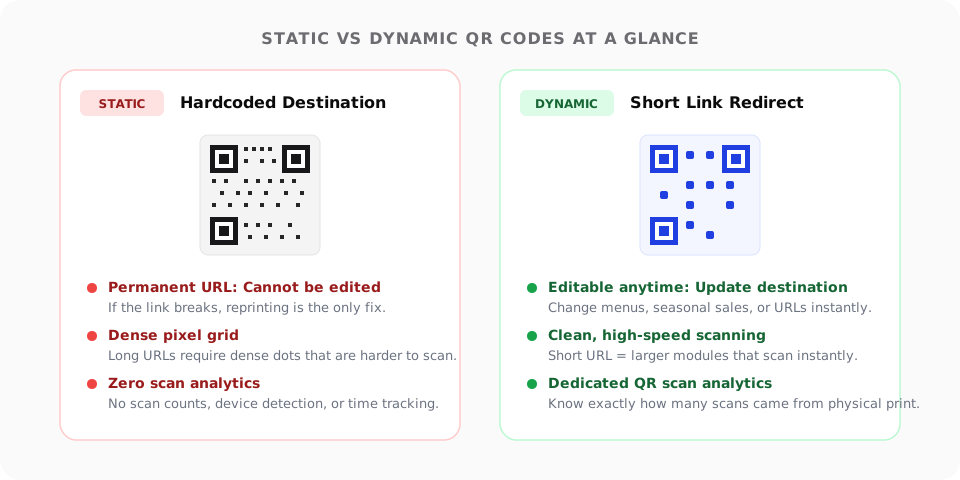
This creates two fatal flaws for physical marketing:
1. It cannot be edited after printing
Once ink hits paper, cardboard, or vinyl, a static QR code is locked forever. If the destination URL changes, the product is discontinued, or a typo is discovered, the physical item is obsolete.
2. The “density penalty” kills scanning speed
The more characters a QR code encodes, the denser its grid must be. A long URL forces the generator to pack hundreds of microscopic modules into the same physical square inch.
Dense QR codes are notoriously difficult for smartphone cameras to read—especially under dim restaurant lighting, through curved glass bottles, or from a distance on billboards.
What is a dynamic QR code?
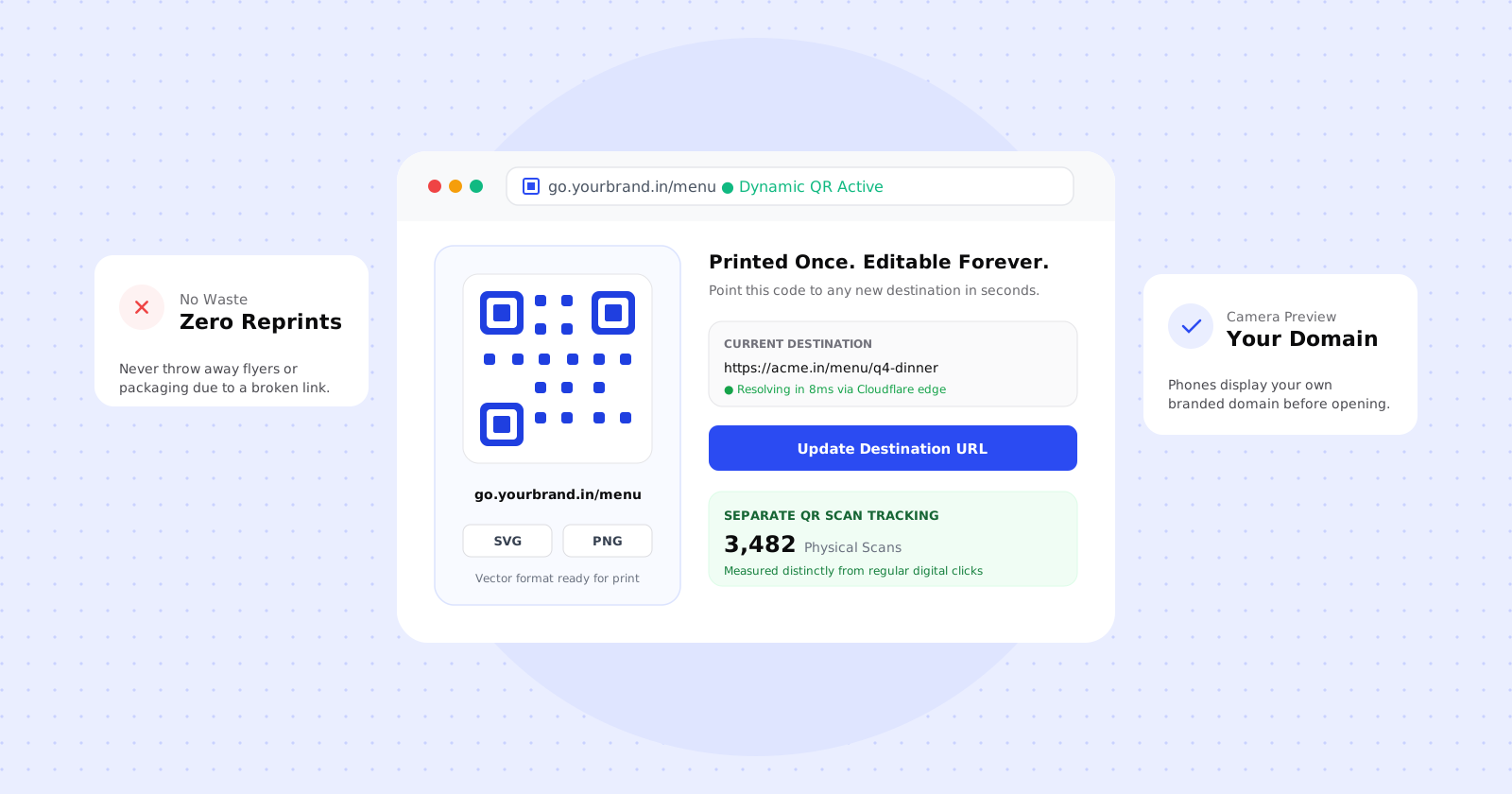
A dynamic QR code does not encode your final destination page. Instead, it encodes a short, branded redirect link (such as go.yourbrand.in/menu).
When a customer scans the code, their phone opens the short link, which instantly redirects them to your actual destination at the edge.
By placing a redirect layer between the physical code and your target page, you unlock four critical superpowers:
1. Change the destination anytime
You can update where the QR code points as often as you want without touching the printed material.
- A restaurant can point a single printed table stand at the Lunch Menu at noon and the Dinner Menu at 7:00 PM.
- A trade show banner can point to the Live Agenda & Booth Map during the event, and seamlessly switch to Session Recordings & Slide Decks the day after the event closes.
- An e-commerce box insert can update from a festive Diwali promotion to a New Year offer with a single click.
2. Faster, more reliable scanning
Because dynamic codes encode short URLs (like clkr.in/x7Kp2 or go.brand.in/menu), they require dramatically fewer modules. The resulting pattern is clean, open, and low-density.
Phone cameras can lock on and decode a low-density QR code in milliseconds, even in poor lighting or from wider angles.
3. Separate QR scan analytics from web clicks
When someone clicks a link in an email, that’s a digital click. When someone points a physical camera at a billboard, product box, or table tent, that is a physical scan.
clkr.in automatically tracks scans distinctly from regular web clicks. When a QR code is generated, it appends a clean scan identifier (?qr=1). The redirect engine records the event as a physical scan in your analytics dashboard, measures the visitor’s city and device, and drops the marker before forwarding the user. You get true offline-to-online attribution.
4. Branded domain in the camera preview
When modern smartphones point a camera at a QR code, they display a floating preview pill showing the destination hostname before the user taps.
If you use a generic shortener or free QR generator, your customers see a strange, unfamiliar domain like qrco.de or bit.ly. With a branded dynamic link (go.yourbrand.in), customers see your verified brand name directly in their camera viewfinder, increasing tap-through confidence.
Static vs. Dynamic: A quick comparison
| Feature | Static QR Code | Dynamic QR Code (clkr.in) |
|---|---|---|
| Destination URL | Permanently hardcoded in ink | Editable anytime in dashboard |
| Grid Density | Dense & complex (harder to scan) | Low density & clean (instant scan) |
| Scan Analytics | None | Real-time counts, locations, devices |
| Reprint Risk | High (1 broken link = waste) | Zero (change target URL anytime) |
| Camera Preview | Displays full long URL | Displays your trusted branded domain |
| Device Targeting | One destination for all devices | Route iOS to App Store, Android to Play Store |
| Download Formats | Usually low-res raster | Vector SVG (for print) and PNG |
4 places you should always use dynamic QR codes
1. Consumer product packaging & labels
Printing plates and packaging runs cost thousands of dollars and remain in retail circulation for months. Linking to product user manuals, warranty registrations, or reorder pages via dynamic QR codes ensures your packaging never outlives your website architecture.
2. Restaurant menus & hospitality table tents
Menus change constantly—seasonal specials arrive, prices adjust, and items sell out. Printing static QR codes on wooden or acrylic table stands means replacing physical hardware every time an item changes. Dynamic QR codes let front-of-house managers update links instantly.
3. Billboards, transit ads & print media
Measuring the return on investment (ROI) of outdoor advertising (OOH) is notoriously difficult. Dynamic QR codes provide exact attribution on how many physical scans occurred, when they happened, and which locations drove the most engagement.
4. Conference badges & event signage
Event schedules shift in real time. Speakers swap slots, room locations change, and presentation slides get updated. A dynamic QR code on attendee badges ensures they always have access to the latest live schedule.
5 golden rules for printing QR codes
Before sending your designs to the printer, follow these five essential rules:
1. Maintain high contrast
Always use a dark foreground on a light background. Black or deep navy on crisp white is the gold standard. Inverting colors (white QR code on a dark background) often confuses older phone cameras and third-party scanning software.
2. Respect the 10:1 scanning ratio
As a rule of thumb, the scanning distance should be roughly 10 times the width of the QR code:
- Table menu or flyer (scanned from 30 cm away): Minimum width of 3 cm (1.2 inches).
- Poster or window decal (scanned from 1.5 meters away): Minimum width of 15 cm (6 inches).
- Billboard (scanned from 15 meters away): Minimum width of 1.5 meters (5 feet).
3. Always export in vector format (SVG)
Never send a low-resolution screenshot or JPEG of a QR code to a commercial printer. Pixelation and compression artifacts cause scan failures. Export a vector SVG, which scales cleanly to any billboard or banner size without loss of edge sharpness.
4. Add a clear Call-to-Action (CTA)
A naked QR code floating without context gives customers no reason to pull out their phone. Always include a brief CTA and human-readable fallback URL:
Scan with camera to view today's lunch menu:
go.yourbrand.in/menu
5. Test under real-world conditions
Don’t just test on your bright laptop screen. Print a sample on standard office paper. Test it with both an iPhone and an Android phone under normal room lighting, and check that the short redirect executes cleanly.
Create your first dynamic QR code with clkr.in
Every short link you create in clkr.in automatically generates a matching dynamic QR code.
You can download high-resolution SVG or PNG assets, brand the code on your own custom domain, monitor real-time scan metrics, and change the destination URL whenever you need to—without ever touching a printer again.
Ready to protect your print collateral? Log into your clkr.in dashboard or learn more on our QR Code Features Page.